SEMESTER-I
|
S
|
|
|
|
|
|
|
|
|
|
|
|
|
|
|
|
|||
|
S.No |
Course Code |
Course Title |
Teaching Hours Per Week |
Examination Scheme |
||||||||||||||
|
Theory |
L |
T |
P |
C |
Theory |
Practical |
Total Marks |
|||||||||||
|
EX |
IN |
EX |
IN |
|||||||||||||||
|
1. |
PGDCAC101 |
Introduction To Software Organization |
3 |
1 |
- |
4 |
70 |
30 |
- |
- |
100 |
|||||||
|
2. |
PGDCAC102T |
Programming In “C” |
3 |
1 |
- |
4 |
70 |
30 |
- |
- |
100 |
|||||||
|
3. |
PGDCAC103T |
Office Automation |
3 |
1 |
- |
4 |
70 |
30 |
- |
- |
100 |
|||||||
|
4. |
PGDCAC104T |
Essential Of E-Commerce & HTML |
3 |
1 |
- |
4 |
70 |
30 |
- |
- |
100 |
|||||||
|
Practical’s |
|
|||||||||||||||||
|
5. |
PGDCAC102P |
Programming In “C” |
- |
- |
4 |
2 |
- |
- |
35 |
15 |
50 |
|||||||
|
6. |
PGDCAC103P |
Office Automation |
- |
- |
2 |
1 |
- |
- |
35 |
15 |
50 |
|||||||
|
7. |
PGDCAC104P |
HTML LAB |
- |
- |
2 |
1 |
- |
- |
35 |
15 |
50 |
|||||||
|
Total Contact Hours Per Week:20 |
Total Credit:
|
20 |
Total Mark |
550 |
||||||||||||||
SEMESTER - I
SUBJECT - INTRODUCTION TO S/W ORGANISATION
SUBJECT CODE - PDCAC 101
MAX. MARK- 100 MIN. MARK -33
UNIT –I:IntroductiontoComputers
Computers – Introduction, Computer System Characteristics, Strength andLimitationsofComputer,DevelopmentofComputers,TypesofComputers,GenerationsofComputers. Introduction to Personnel Computers – Uses of PC’s, Components of PC’s,EvolutionofPC’s,DevelopmentsofProcessors,ArchitectureofPentiumIV,ConfigurationofPC’s; InputDevice; Output Devices.
Central Processing Unit – Arithmetic Logic Unit, Control Unit, Registers,Instruction Set, Processor speed. Storage Devices – Storage and its need, StorageEvaluationUnits,PrimaryStorage,SecondaryStorage,DataStorageandRetrievalSystems,SIMM,DIMM,TypesofStorageDevices.
Basics of Software – needs of Software, Types of Software; Free DomainSoftware;OpenSourceSoftware;Compiler,InterpreterandAssembler;LinkerandLoader; Debugger; Integrated Development Environment; Operating System –Introduction, Uses of OS, Functions of OS, Booting process, Types of Reboot,Bootingfromdifferent OS,TypesofOS,DOS,Windows,Linux.
UNIT – IV: Programming Languages – Introduction, Comparison betweenHuman and Computer Language; Program; Data, Information and Knowledge;CharacteristicsofInformation;TypesofProgrammingLanguages;GenerationsofLanguages; Program Development Steps; Programming Paradigms; Object-Oriented Programming; Structured Programming, Functional Programming,ProcessOrientedProgramming.
Communication – Introduction, Communication process, Communication Types,CommunicationProtocols,CommunicationChannels/Media.Networks–Introduction; Types of Network; Topology; Media - NIC, NOS, Bridges, HUB,Routers, Gateways. Internet–Introduction,GrowthofInternet,OwnerofInternet. InternetServiceProvider,AnatomyofInternet, ARPANETandInternet HistoryofWorld Wide Web, Services Available on Internet - File Transfer Protocol, Gopher,E-mail,Telnet,Newsgroups,WWW,ApplicationsofInternet.
· AnuragSeetha, “IntroductiontoComputersandInformationTechnology”,RamPrasad&Sons,Bhopal.
· ChetanShrivastav“FundamentalofIT”
· P.K.Sinha, “FundamentalofComputers”
· ComputerNetworking-Andres&Tanenbaum
· UsingIT:WilliamsTMHill
· EssentialsofInformationTechnology:A.Mansoor,PrgyaPublications
· IT:Curtin TMHill
SEMESTER - I
SUBJECT - PROGRAMMING IN C
SUBJECT CODE - PDCAC 102
MAX. MARK- 100 MIN. MARK - 33
UNIT–I:Introduction:
Introduction Character set, Identifiers and Keywords, Variables, Displayingvariables, Reading Variables, Character and Character String, Qualifiers, Typedefine Statements, Value initialized variables, Constants, Constant Qualifier,OperatorsandExpressions,OperatorPrecedenceandAssociativity,Basicinputoutput: Single Character I/O, Types of Characters in format string, Scanf withspecifier.
ControlStructure:If-statement, If-elsestatement,Multidecision, CompoundStatement, Loops: For - loop, While -loop, Do-While loop, Break statement,Switchstatement,Continuestatement,Goto statement.
Functions: Function main, Functions accepting more than one parameter, Userdefined and library functions, Concept associatively with functions, functionparameter,Returnvalue,recursioncomparisonsofIterationandrecursionvariablelengthargumentlist.
Arrays:ScopeandExtent,MultidimensionalArrays, ArrayofStrings,FunctioninString,passingarraystofunctions,accessingarrayinside functions.
Pointers: Definition and use of pointer, address operator, pointer variable,referencingpointer,voidpointers,pointerarithmetic,pointertopointer,pointerandarrays,pointerandfunctions,pointersandtwodimensionalarrays,arrayofpointers,pointersconstants,pointer and strings.
Declaring and using Structure, Structure initialization, Structure within Structure,OperationsonStructures,ArrayofStructure,ArraywithinStructure,Creatinguserdefined data type, pointer to Structure and function. Union, difference betweenUnionand Structure,OperationsonUnion,ScopeofUnion.
REFERENCEBOOKS:
1. Computer Fundamentals, P.K. Sinha, BPB Publication
2. Computer Fundamental and Concepts, V. Raja Raman, PHI
3. Computers Today, S.K. Basandra, Galgotia Publications
4. Programming in C ,by E. Balaguruswamy, Tata McGraw Hill
5. Let us C , by Kanetkar , BPB Publication
SUGGESTEDBOOKS:-
1. Let us C - Yashwant Kanetkar.
2. Programming in C - E. Balaguruswamy
SEMESTER - I
SUBJECT - OFFICE AUTOMATION
SUBJECT CODE - PDCAC 103
MAX MARK- 100 MIN. MARK - 33
WindowsConcepts,Features,Structure,Desktop,Icons,Taskbar,StartMenu,MyComputer, Recycle Bin, My document, creating shortcut. Accessories: Calculator,Notepad, Paint, Word Pad, Character Map. Windows Explorer: Creating files &foldersandotherExplorerfacilities,ObjectLinking&Embedding.
Communication:DialupNetworking,PhoneDialer.Differenceamongwindows versions.
Word : Creating, Editing, & Previewing Documents, Formatting, AdvancedFeatures,UsingThesaurus,MailMerge,Table&Charts,HandlingGraphics,ConvertingWord DocumentsintootherFormats.
Excel:Worksheet Basics, Creating, Opening, & Moving in Worksheet, WorkingwithFormula&Cellreferencing,Absolute&Relativeaddressing,WorkingwithRanges, Formatting of Worksheet, Graphs & Charts, Database, Function, andMacros.
PowerPoint:Creatingapresentation,Modifying visualElements,Addingobjects,Applying Transitions, animations and linking, preparing handouts, presenting aslide show. Creating presentation, working with slides, different types of slides,setting page layout, selecting background and applying design, adding graphics toslide, adding sound and movie, working with table, creating chart and graph,playing a slide show, slide transition, advancing slides, setting time, rehearsingtiming, animatingslide,animatingobjects,runningthe showfromwindows.
Introduction to MS Access, The Tables of a Database, Introduction to the Recordof a Table, Introduction to Controls Design, Details on Controls Design, TheCharacteristicsofaTable,TheCharacteristicsofaForm,TheCharacteristicsofaWindow Control, Data Controls, Introduction to Data Expressions, GettingAssistance With Data Entry, Database Strings, Database Numeric Values,Database Conditional Values, Database Date and Time Values, Creating Reports,Characteristics ofReports.Multiplequeriesandswitchboardsmanage
UNIT-V: PUBLISHER
1. ComputerBasicswithOfficeAutomation,IKInternationalPublishingHousePvt.Ltd(1January2011), ArchanaKumar
2. Front-Officemanagement,FirewallMedia
3. PCSoftwareForWindowsByR. K. Taxali–TataMcGraw-Hill
SEMESTER - I
SUBJECT - ESSENTIALS OF E-COMMERE & HTML
SUBJECT CODE - PDCAC 105
MAX MARK- 100 MIN. MARK - 33
Introduction to Electronic Commerce –The scope of E-commerce; Size, growthand future projection of E-commerce market Worldwide and in India; Internet andits impactontraditionalbusinesses;DefinitionofE-commerce; BusinessmodelsinE–Commerce environment;Case studies.Emergence ofE-commerce-E-commerce on private networks, Electronic Data Interchange (EDI), What is EDI,EDI in action, EDI basics, EDI standards, financial EDI, FEDI for internationaltrade transaction, FEDI payment system within the US, ACH credit transferpayment system FEDI, application of EDI, benefits of EDI, Electronics Paymentsystem,E-commerceontheweb,E-commerceinIndia,
Internet, Security and E-Commerce: Security of Data/Information inInternet/webenvironment;Clientsecurity,Networksecurity;VirusprotectionandHacking; Security Measures: Authentication, Integrity, Privacy, Non-repudiation;Publicinformation,Privateinformation,firewalltunnels,encryption, secret key encryption, public key encryption, digital signature. Business–to-Business(B2B),Business-to-Consumer(B2C);Business-to-Business-to-Consumer(B2B2C)and Consumer-to-Consumer (C2C)E-Commerce
HTML Basics & Web Site Design Principles – Concept of a Web Site, WebStandards,WhatisHTML? HTMLVersions,NamingSchemeforHTMLDocuments , HTML document/file, HTML Editor , Explanation of the Structure of the homepage , Elements in HTML Documents ,HTML Tags, Basic HTML Tags,Comment tag in HTML, Viewing the Source of a web page, How to download thewebpagesource?XHTML,CSS,ExtensibleMarkupLanguage(XML),ExtensibleStyle sheet language (XSL), Some tips for designing web pages, HTML DocumentStructure. HTML Document Structure-Head Section, Illustration of DocumentStructure,<BASE>Element,<ISINDEX> Element,<LINK>Element,META, <TITLE> Element,<SCRIPT> Element ,Practical Applications, HTML DocumentStructure-Body Section:- Body elements and its attributes: Background;BackgroundColor;Text;Link;Active Link(ALINK);VisitedLink(VLINK);Leftmargin;Topmargin,OrganizationofElementsintheBODYofthedocument:Text Block Elements; Text Emphasis Elements; Special Elements -- HypertextAnchors; Character-Level Elements; Character References ,Text Block Elements:HR (HorizontalLine); H(Headings);P(Paragraph);Lists;ADDRESS;BLOCKQUOTE; TABLE;DIV(HTML3.2and up);PRE(Preformatted); FORM, Text Emphasis Elements, Special Elements -- Hypertext Anchors ,Character-LevelElements: line breaks (BR) and Images (IMG),Lists ,ADDRESS Element,BLOCKQUOTEElement,TABLEElement ,COMMENTSin HTML,CHARACTEREmphasisModes,Logical&PhysicalStyles,Netscape,MicrosoftandAdvancedStandardElementsList,FONT, BASEFONTandCENTER.
Image, Internal and External Linking between Web Pages - Netscape,Microsoft and Advanced Standard Elements List, FONT, BASEFONT andCENTER. Insertion of images using the element IMG (Attributes: SRC (Source),WIDTH, HEIGHT, ALT (Alternative), ALIGN), IMG (In-line Images) Elementand Attributes; Illustrations of IMG Alignment, Image as Hypertext Anchor,Internal and External Linking between Web Pages. Hypertext Anchors, HREF inAnchors,LinkstoaParticularPlaceinaDocument,NAMEattributeinanAnchor, TargetingNAMEAnchors,TITLEattribute,DesigningFramesinHTML.
CreatingBusinessWebsiteswithDynamicWebPages–Conceptofstaticwebpages and dynamic web pages. Hosting & promotion of the web site, DomainNameRegistration,Web Spaceallocation,Uploading /Downloadingthewebsite- FTP, cuteFTP.WebSitePromotionSearchEngines,BannerAdvertisements.
· HTML&XHTML:TheCompleteReferenceGuide, 5thEdition
· WebDesigninaNutshell,SecondEditionbyJenniferNiederstRobbins,SecondEditionSeptember2001
· LearningWebDesign:HTML,Graphics,and Animation
· ABeginner'sGuidetoHTML,Graphics,andBeyondbyJenniferNiederstRobbins
· IntroductiontoHTML-KamleshNagrawal
· Datacommunicationandnetworking -Ferozon
· NetworkingConcepts-Tanunbaum
SUGGESTEDBOOK:
· Businessonthenet -byKamleshN. Agarawala, AmitLal&DeekshaAgarawal( MacmillanIndiaLtd.).
· IntroductiontoHTMLbyO.P.Vyas,PrateekA.Agarwala.(KitabMahalPublications).
· ASPDeveloper’sGuide–byGregBuczek(TATAMcGrawHill).
SEMESTER - I
SUBJECT - OFFICE AUTOMATION
SUBJECT CODE - PGDCA 105
PRACTICAL TASK:
11. Create your E-mail ID.
SEMESTER - I
SUBJECT -PROGRAMMING IN “C” LAB SUBJECT CODE - PGDCAP106
PRACTICAL TASK:
1. Setting – up environment for Cprogramming.
2. Compiler Installations (commandline,IDEs).
3. UsingIDEs.
4. Displayingvariousmessagesonscreen.
5. Programswithsimplearithmetic.
6. Programs to display criteria basedresults.
7. Programstotakeinputfromuser.
8. Program to take input based on somecriteria.
9. Programsonunitconversions.
10. Programsoniterativeoperation.
11. Programstocreateanumbersseries.
12. Programstocheckspecial.
13. characteristicnumbers.
14. Programstocreatespecificpatterns.
15. Programsforcreatingfunctions.
16. Programsonrecursion.
17. ProgramsonCpreprocessor.
18. Programsonrecursion.
19. Programs to use various storageclasses.
20. Programsondatatypehandlingandconversion.
21. ProgramstointroducePointers.
22. ProgramsonhandlingArray.
23. Programsonmatrixcalculations.
24. Programstodemonstratepointertoarray.
25. Programs to demonstrate passingarrayto function.
26. Programstodealwithstringsusinglibraryfunctions&pointers.
27. Programs to create structure & union.
SEMESTER - I
SUBJECT - HTML LAB SUBJECT CODE -PGDCA107
1. IntroductiontobasicHTMLelements.
3. CreateStylesheetto setformatting fortexttags andembed
4. Create your profile page i.e. educational details,Hobbies,Achievement,MyIdealsetc.
7. Write a HTML program to determine whether a given yearisaleapyear in theGregorian calendar.
8. Write a HTML program to convert temperatures to and from Celsius, Fahrenheit.
9. Createastaticwebpageusingtabletagsof HTML.
10. CreateastaticwebpagewhichdefinesalltextformattingtagsofHTMLintabularformat.
12. CreateemployeeregistrationwebpageusingHTMLformobjects.
14. Describe the pros and cons of using frames in HTML.
SEMESTER II
|
S.NO |
COURSE CODE |
COURSE TITLE |
TEACHING HOURS PER WEEK |
EXAMINATION SCHEME |
||||||||||
|
THEORY |
L |
T |
P |
C |
THEORY |
PRACTICAL |
TOTAL MARKS |
|||||||
|
EX |
IN |
EX |
IN |
|||||||||||
|
1. |
PDCAC 201 |
GUI Programming in VB |
3 |
1 |
0 |
4 |
70 |
30 |
- |
- |
100 |
|||
|
2. |
PDCAC 202 |
Programming in “C++” |
3 |
1 |
0 |
4 |
70 |
30 |
- |
- |
100 |
|||
|
3. |
PDCAC 203 |
Database Management System |
1 |
1 |
0 |
2 |
35 |
15 |
- |
- |
50 |
|||
|
PRACTICALS |
||||||||||||||
|
4. |
PDCAP 204 |
Programming in VB Lab |
0 |
0 |
2 |
1 |
- |
- |
35 |
15 |
50 |
|||
|
5. |
PDCAP 205 |
Database Management System Lab |
0 |
0 |
2 |
1 |
- |
- |
35 |
15 |
50 |
|||
|
6. |
PDCAP 206 |
Programming in “C++” Lab |
0 |
0 |
2 |
1 |
- |
- |
35 |
15 |
50 |
|||
|
Total Contact hours Per Week:22 |
Total credit: |
17 |
Total mark |
500 |
||||||||||
|
|
||||||||||||||
SEMESTER - II
SUBJECT - GUI PROGRAMMING IN VB
SUBJECT CODE -PDCAC-201
UNIT – I
Introduction to visual Basic - Editions of Visual Basic, Event Driven Programming, Terminology, Working environment, project and executable files Understanding modules, Using the code editor window, Other code navigation features, Code documentation and formatting, environment options, code formatting option, Automatic code completion features.
Creating Programs - Introduction to objects, Controlling objects, Properties, methods and events, Working with forms, Interacting with the user: MsgBox function, InputBox function, Code statements, Managing forms, Creating a program in Visual Basic, Printing.
Variable and Procedures - Overview of variables, Declaring, Scope, arrays, User-defined data types, constants working with procedures, Working with dates and times, Using the Format function, Manipulating text strings.
Controlling Program Execution - Comparison and logical operators, If…Then statements, Select Case Statements looping structures, Using Do…Loop structures, For…Next statement, Exiting a loop.
Working with Controls - Types of controls, Overview of standard controls, ComboBox and ListBox, Option Button and Frame controls Menu, Status bars, Toolbars, Advanced standard controls, ActiveX controls, Insert table objects, Validation.
Error Trapping & Debugging - Overview of run-time errors, error handling process, The Err object, Errors and calling chain, Errors in an error-handling routine, Inline error handling, Error-handling styles, General error-trapping options Type of errors, Break mode Debug toolbar, Watch window, Immediate window, Local window, Tracing program flow with the Call Stack.
Sequential and Random Files - Saving data to file, basic filling, data analysis and file, the extended text editor, Random access file, the design and coding.
Data Access Using the ADO Data Control - Overview of ActiveX data Objects, Visual Basic data access features, Relational database concepts using the ADO
Data control to access data, Overview of DAO, RDO, Data Control, structured query language (SQL), Manipulating data Using Data Form Wizard.
Report Generation - Overview of Report, Data Report, Add groups, Data Environment, Connection to database Introduction to Crystal Report Generator. Advances Tools - Overview of drag and drop, Mouse events, Drag-and drop basics, Date Time Control, Calendar, Print Dialog, MDI (Multiple Document Interface).
SUGGESTED READINGS:
· Mastering Visual Basic 6 Fundamentals – By Microsoft Mastering in Visual Basic – By BPB Publications.
· Introduction to VB Programming – V. K. Jain
SEMESTER - II
SUBJECT - PROGRAMMING WITH C++
SUBJECT CODE -PDCAC-202
UNIT– I: Idea of Algorithm: Representation of Algorithm, Flowchart, Pseudo code with examples, From algorithms to programs, source code. Programming Language, high level and low level languages, Procedural Vs Object oriented language, Object oriented programming Concepts, Advantages, Usage, object oriented language features, Introduction to various C++ compilers, C++ standard libraries, Data types, comments, main function in C++, function prototyping, default arguments and argument matching. User defined data types: enumerated types.
Classes & Objects : Classes, Structure & Classes, Union & Classes, functions , System define and library function, Inline Function, Scope Resolution operator, Static Class Members: Static Data Member, Static Member Function, Passing Objects to Function, Returning Objects, Object Assignment, Friend Function, Friend Classes.
UNIT– II: Array, Pointers References & The Dynamic Allocation Operators: Array of Objects, Pointers to Object, Type Checking C++ Pointers, The This Pointer, Pointer to Derived Types, Pointer to Class Members, References: Reference Parameter, call by reference and return by reference Passing References to Objects, Returning Reference, Independent Reference, C++ Dynamic Memory Allocation, Allocating Array, Allocating Objects, Constructor & Destructor : Introduction, Constructor, access specifiers for constructors, and instantiation, Parameterized Constructor, Multiple Constructor in A Class, Constructor with Default Argument, Copy Constructor, Destructor.
UNIT– III: Overloading as polymorphism: Function & Operator Overloading: Function Overloading, Overloading Constructor Function Finding the Address of an Overloaded Function, Operator Overloading: Creating A Member Operator Function, Creating Prefix & Postfix Forms of the Increment & Decrement Operation, Overloading The Shorthand Operation (I.E. +=,-= Etc), Operator Overloading Restrictions, Operator Overloading Using Friend Function, Overloading New & Delete, Overloading Some Special Operators, Overloading [ ], ( ), -, Comma Operator, Overloading << and concepts of namespaces
UNIT– IV: Inheritance : Base Class Access Control, Inheritance & Protected Members, Protected Base Class Inheritance, Inheriting Multiple Base Classes, Constructors, Destructors & Inheritance, When Constructor & Destructor Function are Executed, Passing Parameters to Base Class Constructors, Granting Access, Virtual Base Classes ,Virtual Functions & Polymorphism: Virtual Function, Pure Virtual Functions, Early Vs. Late Binding.
UNIT– V: File I/O, use of File functions, reading and writing from File Templates and Exception Handling: Exception handling in C++, try, throw, catch sequence, multiple catch blocks, uncaught exceptions, catch-all exception handler Templates: Reason for templates compactness and flexibility, function template examples explicit specialization, class templates, out of class definition of member functions, The C++ I/O System Basics : C++ Streams, The Basic Stream Classes, C++ Predefined Streams, Formatted I/O: Formatting Using the IOS Members, Setting The Formal Flags, Clearing Format Flags, An Overloaded Form Of Setf ( ), Using Width() Precision() and Fill(), Using Manipulators to Format I/O, Creating Your own Manipulators.
REFERENCE BOOKS:
1. Strength of Material – Dr. Sadhu Singh – Khanna Publishers 2. Mechanics of Material-Gere and
2. Timoshenko CBS Publications
3. Advanced Mechanics of Materials–A.P. Boresi and O.M. Sidebottom–John Wiley & Sons
4. Strength of Materials – G.H. Rider – Macmillan
5. Mechanics of Material – J.M. Gere and S.P. Timoshenko – CBS publisher
6. Mechanics of Material – F.P. Bear & E.E. Johnston – McGraw Hill
SUGGESTED BOOKS
1. Herbert Schildt, “C++ The complete reference ” - TMH Publication ISBN 0-07-463880-7
2. E. Balaguruswamy, “C++ ”, TMH Publication ISBN 0-07-462038-x
SEMESTER - II
SUBJECT - DATABASE MANAGEMENT SYSTEM
SUBJECT CODE -PDCAC-203
Data, Information and knowledge, concept of DBMS, Advantages of DBMS, data independence, database Administration roles, DBMS architecture, different kinds of DBMS users, importance of data dictionary, contents of data dictionary, types of database languages. Data models: network, hierarchical, relational, Introduction to ODBC concept.
Entity - Relationship model as a tool for conceptual design-entities, attributes and relationships. ER diagrams; Concept of keys; Case studies of ER modeling Generalization; specialization and aggregation.
Structure to Relational Database, Relational Algebra, and Extended Relational- Algebra Operation, Simple and complex queries using relational algebra, The Domain Relational Calculus, Tuple relational calculus.
Pitfalls in Relational Database Design, Decomposition, Functional Dependencies, Normalization: 1NF, 2NF, BCNF, 3NF, 4NF, 5NF.
DDL and DML: Creating Table, Specify Integrity Constraint, Modifying Existing Table, Dropping Table, Inserting, Deleting and Updating Rows in as Table, Where Clause, Operators, ORDER BY, GROUP Function, SQL Function, JOIN, Set Operation, SQL Sub Queries. Views: What is Views, Create, Drop and Retrieving data from views. Security: - Management of Roles, Changing Password, Granting Roles & Privilege, with drawing privileges.
1. “Database System Concepts”, Sudarshan, McGraw Hill.
2. “Introduction to Database Management Systems” (2006 ISRD Group) Tata McGraw Hill.
3. “An Introduction to Database System”, C.J. Date.
4. Introduction to Relational Database and SQL programming”, Allen, Tata McGraw Hill.
5. “SQL”, Scott Urman.
1.Data Base Management System : Alexies & Mathews
2.Data Base Management System : Raguramakrishnan.
SEMESTER - II
SUBJECT - GUI- PROGRAMMING IN VB LAB SUBJECT CODE -PDCAP-204
1. WAP to perform arithmetic operation using command buttons. (Declare variables globally).
2. WAPtotakeinputofprincipal,rate&timeandcalculatesimpleinterest&compound interest.
3. Write a program to take input of x and print table of x in the following format. X * 1 =X
X * 2 = 2X
-
-
X * 10 = 10*X
4. Design an interface, which will appear like marksheet. It will take input of marks in five subjects and calculate total marks and percentage then provide grade according to following criteria. (Using nested if) (Use tab index property to move focus).
If % Then Grade
>=90 A+
> = 75 &<90 A
> = 60 &<75 B
> = 45 &<60 C
Otherwise F
5. WAP to create a simple calculator (Using control array)
6. Write a program to check whether ancentered no. is prime or not.(Using for loop & Exit for)
7. Write a program which will count all vowels, consonants, digits, special characters and blank spaces in a sentences (Using select case)
8. WAP to illustrate all functionalities of listbox and combobox.
9. WAP using check boxes for following font effects. Bold Italic Underline, Increase font size Decrease font size Font color
10. WAP for temperature conversion using optionbutton
11. WAP to launch a rocket using pictures box and timer control.
12. WAP to change back color of any control (label, textbox) using scroll box.
13. WAP to search an element for a one dimension static array.
14. WAP to sort a dynamic array of (a)n numbers (b)n strings (Input array size at run time)
15. WAP to take input of two matrices and perform their addition, subtraction and multiplication using Menu editor.
16. WAP to illustrate call by value and call by reference ( to swap to values)
17. Write a program to calculate factorial of a number using user defined function.
18. Take input of a word and WAP to check whether it is a palindrome or not. (Without using structure fun)
19. WAP to find smallest among given three numbers using user defined procedures.
20. WAP to generate, print and find sum of first n elements of fibonacci series using recursion.
21. WAP to perform read write operations in a sequential file.
22. Create a user defined data type having fields name (as string of length 20 bytes), Roll no (as integer), class (as string of 10 bytes). WAP to create a random access file to store above data and perform following operations in this file.
(a) Write new record (b) Read / display existing record (c) Delete any record (d)Search any record (f) Lists elected records (e) close the file
23. WAP to display records of a table using DAO & bound control code for buttons to move at first record, next record, previous record, last record in the table.
24. Create a table using visual data manager and write a program using RDO &advanced bound control to add, delete, edit & navigate records.
25. WAP to access a database using ADO &display a key column in the combo box or list box when an item is selected in it, its corresponding records is shown in MSH flexgrid.
26. Using Data Environment create a program to display records of any table.
27. WAP to generate mark sheet of students in a class through data report.
28. WAP to illustrate various key board and mouse events.
29. Using drive, directory and file list box (it will show only .bmp files). Let the user select the bmp files, which will appear in picture box as user click on any item in list box.
30. Using toolbar design an interface for string manipulation. Toolbar should have tabs to
(a) Find length of string (b) No of blank spaces in sting (c) Reverse the string Also show current date & time in status bar
SEMESTER - II
SUBJECT - DATABASE MANAGEMENT SYSTEM LAB SUBJECT CODE -PDCAP-205
1. Using the following database,
Colleges (cname, city, address, phone, afdate) Staffs ( sid, sname, saddress, contacts) StaffJoins ( sid, cname, dept, DOJ, post, salary)
Teachings ( sid, class, paperid, fsession, tsession) Subjects ( paperid, subject, paperno, papername)
Write SQL statements for the following –
a. Create the above tables with the given specifications and constraints.
b. Insert about 10 rows as are appropriate to solve the following queries.
c. List the names of the teachers teaching computer subjects.
d. List the names and cities of all staff working in your college.
e. List the names and cities of all staff working in your college who earn more than15,000
f. Find the staffs whose names start with ‘M’ or ‘R’ and ends with ‘A’ and/or 7 characters long.
g. Find the staffs whose date of joining is2005.
h. Modify the database so that staff N1 now works in C2College.
i. List the names of subjects, which T1 teaches in this session or all sessions.
SEMESTER - II
SUBJECT - Programming in C++ LAB SUBJECT CODE -PDCAP 206
PRACTICAL TASK:

Course Code : DCA : DAVARA 2025-26
Course Code : PGDCA : DAVARA 2025-26
Course Code : TALLY2025
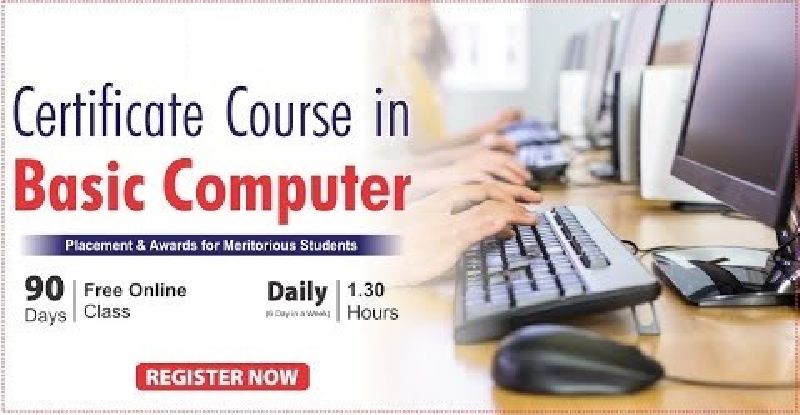
Course Code : BCC2025
Course Code : M-2025PGDCA
Course Code : BA : CVRU 2025-26
Course Code : DCA : CVRU 2025-26
Course Code : PGDCA : CVRU 2025-26
Course Code : BSC - I : CVRU 2025-26
Course Code : BSC - III : CVRU 2025-26